A small camera can make a big difference when it records a clear entrance, a package shelf, or a shared hallway. But compact size alone does not make a device useful—or appropriate. The FBI’s 2023 crime statistics reported that burglary offenses fell 7.6% from 2022, while still documenting hundreds of thousands of incidents nationwide. That context supports careful home-security planning, not fear-driven buying. A Micro Spy Camera should be selected for a specific, lawful purpose, with placement and recording practices that respect everyone’s privacy.
This guide compares ten compact cameras by practical criteria: image clarity, low-light performance, power options, storage, secure access, and ease of installation. NIST’s consumer Internet of Things cybersecurity guidance emphasizes capabilities such as protecting device data and enabling secure software updates. Those details matter. A sharp image is less reassuring if an account uses a weak password or the manufacturer stops providing updates. Check product documentation, app permissions, and independent testing before purchase; specifications can look impressive on a box.
Use cameras only where recording is lawful, and tell household members or visitors when required. Never place them in bathrooms, bedrooms, or other spaces where people reasonably expect privacy. Local rules differ, especially for audio recording, so verify requirements before installation. Keep the lens aimed at your own property. Honestly, even a well-reviewed camera cannot replace a solid lock, good lighting, or a neighbor who notices unusual activity. Small devices have limits. Use them thoughtfully.
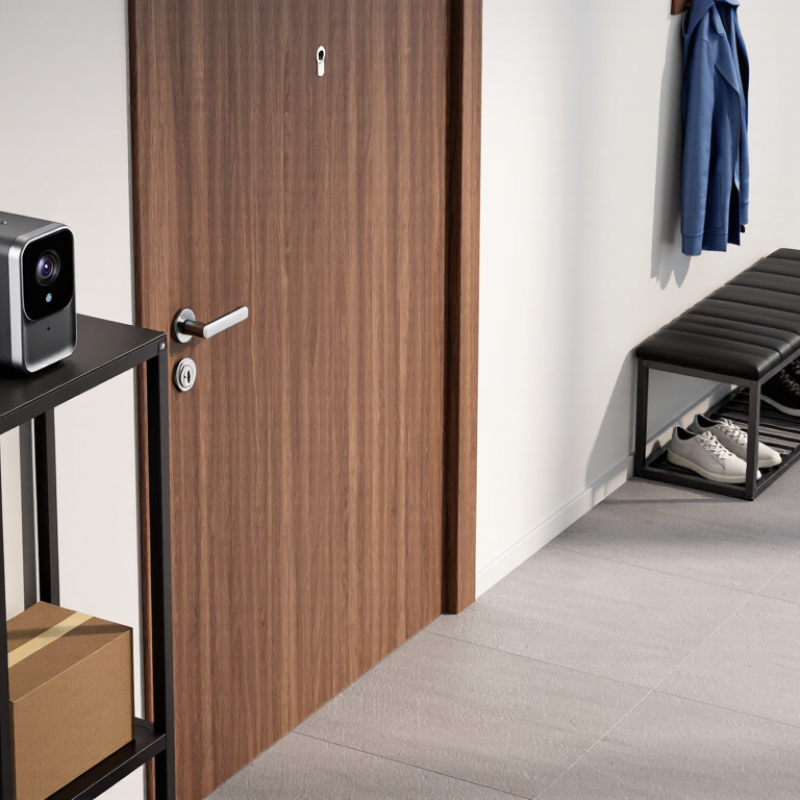
Micro cameras are compact cameras designed to fit into small spaces; “micro” describes size, not permission to record secretly. In transparent home security, treat one like a visible sensor. Mount it openly near an entryway, point it toward areas you control, and tell household members and visitors what it records. Keep it visible. A simple notice nearby can prevent confusion when guests arrive. Avoid bedrooms, bathrooms, and other private areas. Small is not secret.
The FBI’s Crime in the United States 2022 report recorded 847,522 burglary offenses nationwide; that figure describes reported crime, not proof that cameras prevent it. NISTIR 8259A outlines six baseline cybersecurity capabilities for connected devices, including data protection, controlled access, and software updates. Apply those basics: use a unique password, enable multifactor authentication when available, and remove access you no longer need. Check the view after dark; reflections can wash out faces, and motion alerts may become noise. I would not promise complete coverage. Test placement under ordinary lighting, review footage only for a clear security purpose, and revisit settings when household routines change.

A “micro camera” generally means a camera with a small form factor; there is no universally accepted size standard. For transparent home security, choose a clearly disclosed camera and use it only where recording is lawful and appropriate.
Standard video formats are compared by horizontal and vertical pixel dimensions. Higher resolution can capture more image detail, but results also depend on lighting, lens quality, camera placement, and storage. Recording and notice requirements vary by location.
Before choosing a compact camera, check the rules where you live. Privacy laws differ by location, and audio recording may have stricter consent requirements than video. Some places require everyone in a conversation to agree; others apply different standards. Do not assume a camera is lawful just because it is inside your home. Check official local guidance, and seek qualified legal advice if the rules are unclear. This is especially important in shared homes, rental properties, or spaces used by visitors.
Tell household members and guests where cameras are used and what they record. A clear notice near an entryway can prevent misunderstandings. Avoid bathrooms, bedrooms, and other places where people reasonably expect privacy. If a device includes a microphone, consider disabling audio unless you have confirmed that recording is permitted and genuinely needed. Keep recordings secure, limit access, and delete footage when it is no longer useful. Small devices can be easy to overlook. That is exactly why placement deserves a second look: a useful security measure should not surprise the people it is meant to protect.
The FBI recorded 847,522 burglaries in the United States in 2022. That figure deserves attention, but it does not predict the risk for any one household. It counts recorded offenses across a large country, not the likelihood of a break-in on your street. A camera can support home security, but it cannot prevent every crime. That distinction matters.
When comparing compact cameras, look for clear footage in low light, reliable motion alerts, and secure access to recordings. Test the view from a doorway or hallway before relying on it; a lens aimed at a bright window may miss details in a darker room. Keep cameras inside your own home, away from bathrooms and private spaces, and avoid capturing neighbors’ windows. Let household members know where recording devices are placed. Small devices can be useful, but discreet should never mean secret from people who share your home. Review storage settings, too, and delete recordings you no longer need. A missed alert or blurry clip is possible. Plan for that.
A useful ten-camera comparison should separate resolution from real detail. Several compact cameras offer 1080p, while higher-resolution options may record at 2K or 4K. For a hallway or entryway, 1080p can show general activity clearly. Higher resolution may help identify small details, but only with steady placement, good lighting, and enough storage. Check the viewing angle, too. A wide lens covers more of a room but can make distant faces appear smaller.
Night vision varies more than product labels suggest. Infrared LEDs can capture movement in a dark room, often in black and white. Low-light color recording needs some ambient light, such as a dim porch lamp. Compare sample footage at the distance you expect to monitor. Look for glare on nearby glass and blurred movement. Small differences matter.
Storage options commonly include a memory card, paid cloud service, or a local recorder. Cards avoid monthly fees, but capacity and overwrite settings limit how long footage stays available. Cloud storage can preserve clips if a camera is damaged, though it depends on internet access and subscription terms. Confirm encryption, account security, and recording controls before installation. Use cameras only where recording is permitted, and inform people who share the space. Check the details twice.
Choose a compact camera for a clear security purpose, such as checking an entryway while you are away. Keep it out of bathrooms, bedrooms, and other spaces where people expect privacy. Tell household members and visitors when recording is active, and check local requirements before installation. Small size is not a reason to hide a camera.
The FTC recommends securing connected devices with strong, unique passwords, keeping software updated, and reviewing privacy settings. Use two-factor authentication when available, and restrict who can view or share footage. Verizon’s 2024 Data Breach Investigations Report analyzed 10,626 confirmed breaches; 68% involved a non-malicious human element. That finding is not specific to cameras, but it shows how ordinary mistakes can weaken security. Reusing a password is one avoidable risk.
Before mounting a camera, test its view from the intended spot. A front-door view should capture the approach, not a neighbor’s windows. Check whether recordings stay on the device or upload to an online account, then set a short retention period. Setup menus can be fiddly; pretending every setting is obvious helps nobody. Review access again after sharing footage or changing your home Wi-Fi password.
This comparison covers compact camera types, not specific products. Features vary by model. Use cameras transparently and only where you have authority to record; a small size does not make covert recording lawful.
| Rank | Compact camera type | Typical recording and power options | Practical home-security use | Privacy-conscious setup | Key limitation or legal check |
|---|---|---|---|---|---|
| 1 | Compact indoor Wi-Fi camera | Usually streams over Wi-Fi; some models offer cloud or memory-card recording. Often powered by an adapter. | Monitoring an openly visible entryway or shared living area. | Set a unique password, enable available multi-factor authentication, install updates, and review account access. | Check local rules and inform household members or visitors where required. Avoid private spaces. |
| 2 | Small battery-powered indoor camera | Battery operation; recording may be event-triggered and may require a compatible hub or subscription. | Temporary monitoring where a power outlet is inconvenient. | Review battery, motion-detection, cloud-storage, and data-retention settings. | Battery life and recording availability depend on settings, network conditions, and the particular device. |
| 3 | Compact wired indoor camera | Typically uses continuous power; recording options vary and may include local storage or a network recorder. | Routine monitoring of a visible, authorized area. | Secure the home network and restrict access to recordings to people who need it. | Confirm that the camera's field of view does not capture neighbors' private areas. |
| 4 | Pan-and-tilt indoor camera | Usually mains-powered and network-connected; remote movement and recording features vary. | Checking a larger common area with fewer fixed cameras. | Use privacy-shutter or privacy-mode features when available, and limit who can control the camera. | A moving camera can capture more than intended; set boundaries and check the view regularly. |
| 5 | Compact local-storage camera | Some models record to a memory card or recorder; power may be wired or battery-operated. | Recording without relying exclusively on cloud storage, if the device supports it. | Protect the camera and storage media physically; use encryption or access controls where offered. | Local storage still contains sensitive footage. Check overwrite, deletion, and backup settings. |
| 6 | Compact cloud-connected camera | Uploads clips or streams to an online service; subscription and retention features vary. | Remote viewing when away from home, where an internet connection is available. | Use a strong, unique account password, multi-factor authentication if offered, and the shortest practical retention period. | Review the provider's privacy policy, sharing controls, fees, and deletion process before enabling cloud recording. |
| 7 | Compact doorbell-style camera | Often connects to Wi-Fi and may use wired power or a rechargeable battery; recording options vary. | Monitoring an exterior doorway and receiving visitor alerts. | Limit the camera's view to your entrance where possible and set appropriate motion zones. | Check local rules for recording shared corridors, sidewalks, audio, and neighboring property. |
| 8 | Compact outdoor weather-resistant camera | May use wired power, a battery, or solar-assisted charging; network and storage options vary. | Monitoring an authorized outdoor area such as a driveway or private yard. | Keep firmware current, secure the network connection, and disable features you do not need. | Confirm the device's stated weather rating and avoid aiming it into places where others reasonably expect privacy. |
| 9 | Compact camera with motion-triggered recording | Records when motion is detected; power and storage depend on the camera and configuration. | Reducing unnecessary recording in a visible, permitted area. | Adjust detection zones and sensitivity to reduce unintended capture and unnecessary data collection. | Motion alerts can miss events or trigger falsely; they are not a substitute for an alarm or emergency service. |
| 10 | Compact camera with a physical privacy control | Recording, connectivity, and power vary; some designs include a shutter or hardware disable switch. | Households that want a clear way to pause recording when monitoring is unnecessary. | Prefer an easily verifiable physical control and make sure everyone in the household understands how it works. | A software privacy mode may not disconnect every feature; check the device documentation and indicator behavior. |
FTC and legal note: FTC privacy and security guidance is general consumer guidance, not approval of a camera or a determination that a particular recording is lawful. Secure connected devices with unique passwords, available multi-factor authentication, and current software; review privacy settings and data practices. Recording, notice, audio-consent, and tenant rules vary by location, so check applicable local law before installing or recording.
Please share your email with us to see your results.