What Is the Best Intel 12th Gen Industrial Computer in 2026?

Choosing the best Intel 12th Gen Industrial Computer in 2026 means matching processor capability to the realities of the factory floor. IDC’s Worldwide Edge Spending Guide forecast global edge-computing investment at $232 billion in 2024, reflecting growing demand for local processing. That trend makes industrial PCs relevant for machine vision, production monitoring, and control systems that need dependable, low-latency computing. But spending forecasts do not identify the right computer for a specific line.

Intel’s 12th Gen Core platform introduced a hybrid architecture combining Performance-cores and Efficient-cores. Intel’s product specifications also list support for technologies such as DDR5 memory and PCIe 5.0 on selected processors. These features can help with demanding workloads, but the processor name alone tells only part of the story. A dusty workshop, a cramped control cabinet, and a fanless installation each impose different requirements.

And there is a catch. By 2026, buyers should check processor availability, vendor support, and the expected service life of the complete system. They should also compare tested operating-temperature ranges, vibration resistance, connectivity, memory options, and expansion slots. Those details matter when a computer must connect to cameras, PLCs, or legacy equipment without disrupting production. Benchmarks are useful, but they cannot replace application testing. This guide compares practical system choices and trade-offs, while treating “best” as a workload-specific decision—not a universal verdict.
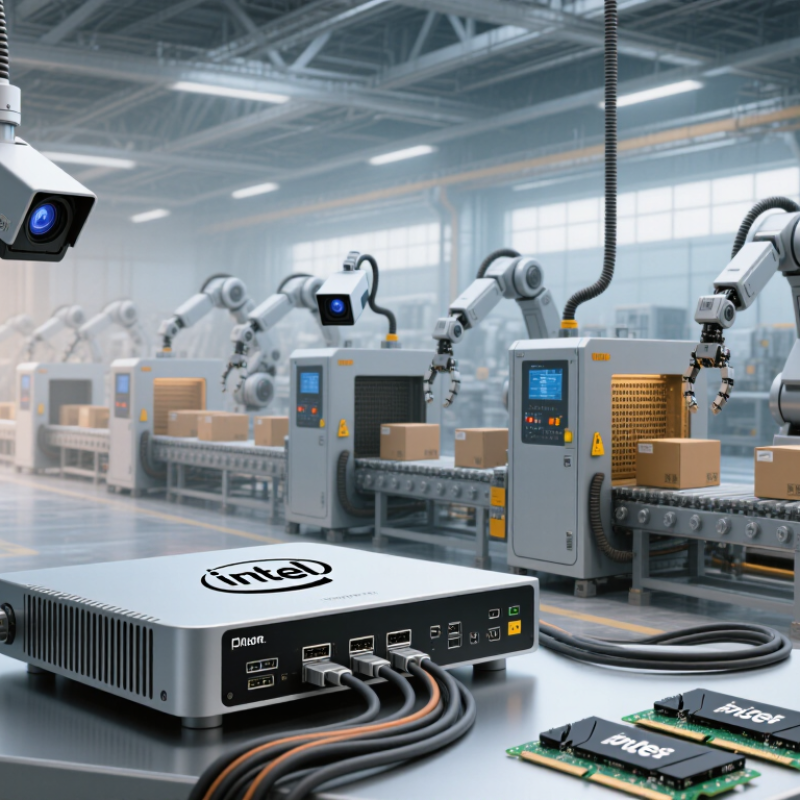
What Is the Best Intel 12th Gen Industrial Computer in 2026?

What Defines an Intel 12th Gen Industrial Computer in 2026?

An Intel 12th Gen industrial computer is more than a desktop processor fitted inside a metal case. It uses a 12th-generation processor with a hybrid design, combining performance cores and efficiency cores. That mix can handle machine vision, control software, and background services together, though results depend on the workload and system configuration.

Industrial use is defined by the whole platform. Look for the required number of serial, Ethernet, USB, and display connections, plus expansion options such as PCIe. Memory support varies by motherboard; some systems use DDR4, while others support DDR5. A compact factory computer may also need a fanless design, a wide input-voltage range, and protection against vibration. Check the stated operating temperature carefully. “Industrial” alone does not tell you how a unit performs beside a hot motor cabinet.

Deployment details matter. Confirm that the operating system, drivers, and connected equipment work together before choosing a system. Ask how long replacement units and technical support will remain available. Test the computer with the real application, including startup and sustained load. Paper specifications are useful, but they can miss awkward cable access or heat buildup in a crowded enclosure. Even a good design may need adjustments after installation.


How Alder Lake Scales to 16 Cores and 24 Threads

A high-end 12th-generation hybrid processor combines eight performance cores with eight efficiency cores: 16 cores and 24 threads. Official desktop processor specifications list up to 5.2 GHz turbo, 30 MB cache, and 241 W maximum turbo power for one top-end configuration. These figures describe a desktop chip, not every industrial or embedded variant. That distinction matters.

In a fan-cooled edge computer, performance cores can handle machine-vision bursts, while efficiency cores run logging and network services. But thread count alone does not predict throughput. CPU 2017 benchmark result records include system and compiler details, showing why scores need context. Industrial workloads add memory, storage, and thermal limits. A compact chassis may lower sustained speeds as heat builds around the heatsink. Test the real application for hours, not just during startup. Check scheduling, memory capacity, and cooling with the enclosure closed. Small details matter. The 16-core, 24-thread ceiling is compelling, yet it can be wasted by weak cooling or an inflated workload estimate. More threads always help? They do not.

How Alder Lake Scales to 16 Cores and 24 Threads

The top configuration combines 8 performance cores and 8 efficiency cores. Each performance core supports 2 threads, while each efficiency core supports 1, for 16 physical cores and 24 logical threads.

Which Platform Specs Matter: DDR5-4800 and PCIe 5.0?

For a 12th-generation industrial computer, DDR5-4800 is a useful baseline, not a guarantee of faster real-world performance. It describes the memory data rate, while latency, capacity, channel layout, and firmware also matter. A system logging sensor streams may gain little from peak bandwidth if storage or network traffic is the actual bottleneck. Small distinction, big consequences.

PCIe 5.0 matters when the board routes lanes to devices that can use them. Its theoretical per-lane rate doubles PCIe 4.0, but an industrial system may expose only selected slots or share lanes among connectors. Check the board diagram, not just the processor specification. For a camera card, accelerator, or high-speed NVMe drive, verify lane width, slot generation, and sustained thermal behavior under load. Heat is easy to overlook.

Keep both specifications on the shortlist, alongside practical validation. Ask about memory population limits, ECC support if needed, firmware maturity, and operating-temperature test results. Then run the intended workload for hours, including simultaneous storage and I/O activity. Peak numbers can flatter a lab bench. I would still favor stable drivers and clear expansion paths over a paper advantage, though that judgment depends on the deployment.

How Cooling Handles CPUs Rated Up to 241 W Maximum Turbo Power

A capable 12th-generation industrial computer must manage brief power spikes, not just its average load. The top desktop processor in this generation is specified at 241 W Maximum Turbo Power, according to its published processor specifications. That figure is a peak design condition, not a guarantee of constant power draw. Still, a compact enclosure can heat quickly when the CPU, memory, and storage work together.

Cooling design should move heat away from the processor and out of the chassis. Look for a substantial heatsink, a clear airflow path, and fans rated for continuous operation. ASHRAE’s Thermal Guidelines for Data Processing Environments, Fifth Edition, recommends 18–27°C inlet air for applicable equipment classes. That is useful context, not a promise that a sealed industrial computer will stay cool. Dust, blocked vents, and hot cabinet air can change the result. Small details matter.

For selection, check thermal performance under sustained CPU load, not a short benchmark alone. Ask for temperature and clock-speed records from testing near the intended ambient temperature. A unit may pass on an open test bench and throttle inside a crowded cabinet. That gap is easy to overlook. It is also worth checking fan-replacement access and alert behavior; excellent cooling is less reassuring if a failed fan goes unnoticed.

How to Compare Workload Fit, Lifecycle Support, and Total Cost

Choosing a 12th-generation industrial computer in 2026 starts with the actual workload, not the processor label. A vision station handling two camera streams may need sustained processing power and memory bandwidth, while a PLC gateway may run comfortably on fewer cores. Measure peak utilization during the busiest shift, then leave room for logging, remote diagnostics, and software updates. Thermals matter. Inside a sealed cabinet near a motor drive, fanless cooling can reduce dust intake, but enclosure temperature still needs testing. A specification sheet is not a thermal test.

Lifecycle support deserves equal weight. Ask for written estimates of component availability, firmware maintenance, repair turnaround, and replacement options—not just warranty duration. Confirm that memory, storage, ports, and operating-system images can remain consistent across planned production years. That detail is easy to overlook. Compare total cost, including mounting, cabling, energy use, downtime risk, and engineering time for qualification. An inexpensive unit can become costly after one line stoppage. Yet paying for unused expansion slots is wasteful too. Pricing assumptions change. Request a sample unit and run the real application for several days; bench results rarely reveal every thermal or input/output issue. Sometimes the right choice is less powerful than expected.

What Is the Best Intel 12th Gen Industrial Computer in 2026? - How to Compare Workload Fit, Lifecycle Support, and Total Cost

System class Typical workload fit Memory and I/O considerations Power and thermal considerations Lifecycle support to verify Relative total cost Best fit when
Compact fanless system Light HMI, protocol gateways, data logging, and basic machine control. Check the maximum supported memory, storage options, and required serial, Ethernet, and USB ports; compact designs may limit expansion. Passive cooling avoids fan maintenance, but sustained processor performance depends on enclosure temperature and airflow around the unit. Confirm the exact processor and board availability period, operating-temperature rating, and repair or replacement policy. Low to medium; lower maintenance can be offset by a higher initial price or limited expansion. Space, low noise, and reduced routine maintenance matter more than high sustained compute.
General-purpose industrial PC Machine vision at moderate throughput, edge applications, multiple services, and general automation. Compare memory capacity and channel configuration, storage redundancy options, PCIe expansion, and the number and type of network interfaces. A ventilated chassis can sustain heavier loads than many fanless designs; check fan access, filter maintenance, and rated ambient temperature. Ask whether the same board revision, BIOS support, and compatible replacement parts will be available for the planned deployment period. Medium; often balances compute capability, expansion, and serviceability. The workload needs flexibility and moderate expansion without requiring a specialized accelerator platform.
High-expansion industrial PC High-throughput vision, several add-in cards, data acquisition, or compute-intensive edge processing. Review available PCIe slots, lane allocation, card dimensions, power connectors, memory ceiling, and storage interfaces against the complete bill of materials. Higher sustained loads and add-in cards increase heat and power demand; validate cooling, power-supply capacity, and the system’s ambient operating limits. Get written confirmation of component availability, BIOS maintenance, repair turnaround, and the process for qualifying replacement parts. High; expansion cards, cooling, power, and service requirements can dominate purchase and operating costs. The required I/O or sustained throughput cannot be met by a smaller system.
Ruggedized industrial PC Installations exposed to vibration, dust, temperature variation, or other demanding site conditions. Match the required ports and storage to the sealed or rugged enclosure; field upgrades may be more limited than in a standard chassis. Check the documented operating-temperature range and cooling design under the intended load; rugged construction alone does not establish suitability. Verify test conditions, environmental ratings, warranty coverage, spare-unit availability, and support duration for the complete system. Medium to high; the purchase premium may be justified if it reduces environmental failure risk or service visits. Environmental resilience and predictable field operation are essential requirements.
Long-deployment control platform Production equipment expected to remain installed for years, where repeatability and controlled changes are priorities. Prioritize a fixed, documented configuration and validated memory, storage, and I/O options over unused expansion capacity. Choose cooling and component ratings for the actual enclosure and duty cycle; account for cleaning, filter replacement, and fan replacement where applicable. Request the system-level supply commitment and change-notification policy; processor generation alone does not guarantee a specific product lifecycle. Medium to high upfront; lifecycle cost may be lower when configuration changes and unplanned downtime are minimized. Availability, configuration stability, and support commitments outweigh the lowest initial purchase price.

Comparison note: Relative cost is qualitative, not a quoted price. Actual performance, memory support, expansion, environmental ratings, and lifecycle commitments vary by processor, board, configuration, and system supplier; verify them for the exact model and deployment.

Members of